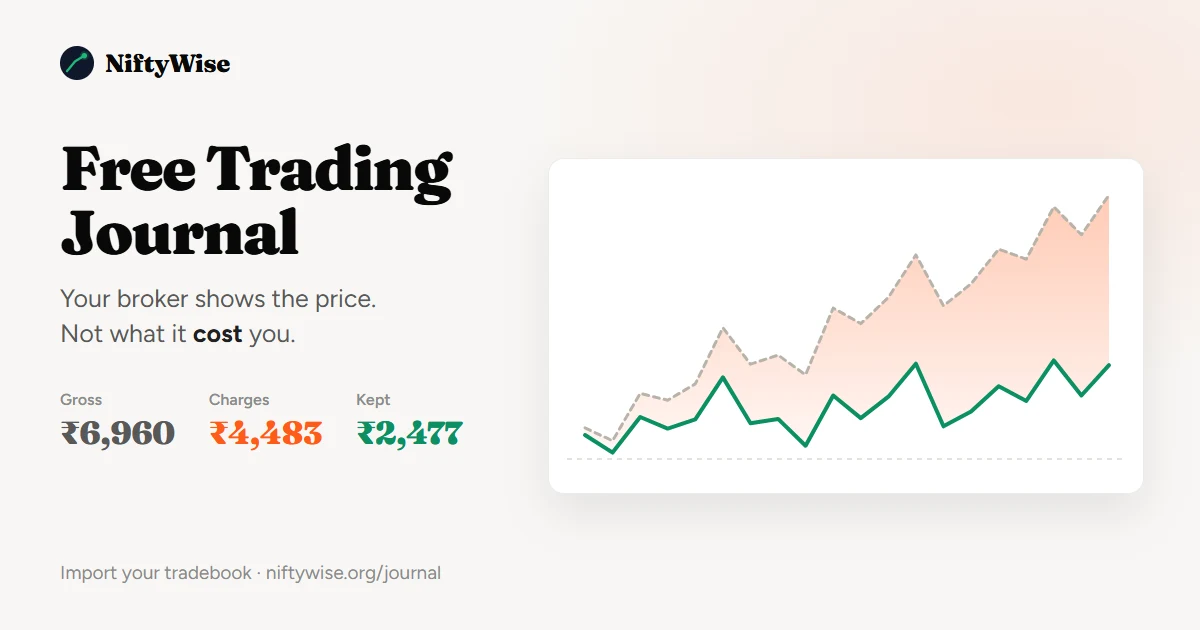
Your broker tells you that you made ₹6,960 last month. The Free Trading Journal on NiftyWise tells you that you kept ₹2,477 of it. The difference is not a rounding error and it is not a mistake on anyone's part: it is seven separate charges that come off every single options round trip, win or lose, and that your P&L screen was never designed to show you.
The Free Trading Journal is built for exactly that gap, and it is free in the plain sense: no tier to upgrade to, no trial that expires, no card to enter. You upload the tradebook CSV your broker already gives you, and it rebuilds every round trip from your own fills, costs each one at the rates that applied on the day it traded, and shows you the number that actually reached your bank account.
This article explains what the tool does, how to set it up in about two minutes, and what the figures mean.
What is a trading journal?
A trading journal is a record of every trade you have taken, with enough detail attached that you can later work out which parts of your trading made money and which parts quietly lost it. At minimum that means entry, exit, size and date. A useful one also carries the costs, because in Indian options the costs are often the difference between a profitable month and a losing one.
Most people start a trading journal in a spreadsheet, type in forty trades by hand, miss a week, and never open it again. The version that survives is the one that fills itself in. That is the design goal here: you give it a file, it does the rest.
Why your broker's P&L screen is not a trading journal
Your broker's position and P&L screens are built to show you the market, not your business. They report gross: the difference between what you paid and what you received. Seven other line items sit between that figure and your bank balance.
| Charge | What it is | Current rate on NSE options |
|---|---|---|
| Brokerage | What your broker charges to place the order | Set by your broker. TradeSmart is a flat ₹15 an order, Zerodha ₹20 |
| STT | Securities Transaction Tax, on the sell side only | 0.15% of premium, rounded to the rupee, from 1 April 2026 |
| Exchange transaction | NSE's own fee on premium turnover | 0.03553%, which folded in the old IPFT charge on 1 March 2026 |
| Clearing | Charged by the clearing corporation, passed through | Varies by broker, around 0.0215% of premium |
| GST | 18% on brokerage plus the exchange and clearing fees | 18% |
| Stamp duty | State duty, on the buy side only | 0.003% of premium |
| SEBI turnover fee | Regulator's levy on turnover | ₹10 per crore |
Two of those rates changed in 2026 alone. The exchange transaction fee absorbed the separate IPFT line on 1 March, and Budget 2026 raised options STT from 0.10% to 0.15% on 1 April. A trading journal that costs your January trades at April's rates will tell you something untrue about January, which is why this one keeps dated sets of rates and applies whichever was in force on the day each fill happened.
What the free trading journal does with your tradebook
The file your broker exports is a list of fills: one row per execution, in no particular order, with no idea which buy belongs to which sell. The trading journal turns that into something you can actually read.
- It rebuilds round trips. Fills are matched first in, first out, so a contract you bought in three lots and sold in two becomes the trades you actually took, with a real entry price, exit price and holding time.
- It costs each one properly. Every charge above is calculated per fill, at that day's rates, on your broker's actual brokerage plan. Brokerage is counted per order rather than per fill, so a single order that filled in four pieces is charged once, which is what your contract note does.
- It reads multi-leg positions as one decision. Four legs placed within a few minutes of each other on the same underlying are grouped and named: short strangle, iron condor, bull call spread, calendar. An iron condor counts once in your win rate, not four times.
- It keeps your notes. Tags and notes are attached to the trade itself, so re-importing a longer file later does not wipe them.
- It only imports what is new. Upload a fresh export next month and the rows you already have are recognised and skipped. Nothing is duplicated and nothing is overwritten.
How to set up your trading journal in three steps
- Export your tradebook as CSVIn TradeSmart it is Reports, then Trade Details, pick your date range and press the CSV button. In Zerodha it is Console, then Reports, then Tradebook. Any broker works as long as the file has a date, a symbol, a side, a quantity and a price.
- Upload itGo to the import page and drop the file in. The columns are matched automatically, including the awkward ones, and you are shown exactly which column was read as what before anything is saved.
- Set your brokerage plan oncePick TradeSmart or Zerodha and the rates are already there. On any other broker, enter your own brokerage and clearing rates in settings and every trade is recosted.
The whole flow in fifteen seconds, from the broker's export screen to the net figure. Figures shown are a sample, not a real account.
A worked example: what ₹6,960 of gross profit actually nets
Here is a sample book of 72 round trips over twenty trading days, one lot of NIFTY at a time, on TradeSmart's flat ₹15 plan. It is the same example the journal shows you before you have imported anything, and it is deliberately a modest, realistic size rather than a flattering one.
Gross profit across those twenty days is ₹6,960. One round trip costs ₹62.26 in charges. Seventy two of them cost ₹4,483. What is left is ₹2,477, which is 36% of the gross.
The useful thing about seeing it split this way is that it tells you which lever is yours. Brokerage is the only line anyone competes on, and at 48% it is worth knowing. The other 52% is the same at every broker in the country, and the only way to pay less of it is to place fewer, larger round trips.
What you see once it is imported
The dashboard opens on the figure the whole trading journal exists to produce: net P&L after charges, for whatever date range you pick, with gross shown underneath it so the gap is never hidden.
- A cumulative curve with gross and net drawn on one scale, so the widening band between them is your running cost.
- A calendar with a figure in every trading day, which is how a bad Thursday before expiry stops being a feeling and becomes a pattern.
- Breakdowns by position shape, holding time, day of the week, days to expiry and contract, each one net rather than gross.
- Drawdown, win rate, expectancy and streaks, all calculated after costs.
- Your own tags, so you can mark what you were doing and compare like with like later.
Every number on the page is one you can click through to the trades behind it. Nothing is a black box, because a trading journal you cannot audit is just a second opinion you have no reason to trust.
Trading journal versus a spreadsheet
A spreadsheet is a perfectly good trading journal right up to the point where keeping it becomes a chore. Here is the honest comparison.
| Spreadsheet | This trading journal | |
|---|---|---|
| Getting trades in | Typed by hand, or a CSV you reshape yourself | Upload the broker file unchanged |
| Round trips | You match buys to sells | Matched first in, first out |
| Charges | One formula, usually written once and never updated | Seven charges, at the rates in force on each trade date |
| Rate changes | You have to notice them | Dated rate sets, already updated for 2026 |
| Multi-leg | Four rows that look like four trades | Grouped and named as one position |
| Chance you still use it in March | Low, honestly | It fills itself in |
| Cost | Free | Free |
Paid trading journal tools exist and several are good, but almost all of them are built for US equities and options. They do not know what STT is, they cannot read an NSE contract symbol, and they will not tell an Indian trader anything useful about their costs.
What it costs and what happens to your data
The trading journal is free. There is no paid tier, no trial that expires and no card required. The limit is 25,000 stored fills per account, which is a great deal more trading than most people do in a year.
On privacy, three things are worth stating plainly. Your file is read and the fills are stored against your account; the CSV itself is not kept. No broker login, password or API key is ever asked for, because a tradebook export does not need one. And you can delete a single import or everything at once, at any time, from inside the tool.
There is no live market data anywhere in the feature and it produces no signals, tips or recommendations. It reports what already happened in your own account.
Trading journal FAQ
Which brokers does the trading journal support?
TradeSmart and Zerodha have their brokerage plans built in, so their rates are correct out of the box. Any other broker works too: upload the CSV and enter your own brokerage and clearing rates once in settings, and every trade is costed with them. The file needs a date, a trading symbol, a buy or sell side, a quantity and a price. Most broker exports have all five.
Is the NiftyWise trading journal really free?
Yes. There is no paid tier, no trial period and no card required. A free account stores up to 25,000 fills, which covers far more trading than most retail traders do in a year. NiftyWise earns from broker referrals elsewhere on the site, not from this tool.
What happens if I upload the same file twice?
Nothing bad. Every fill carries a fingerprint built from its date, time, symbol, side, quantity and price, so rows already in your journal are recognised and skipped. Uploading a longer export that overlaps an earlier one imports only the new rows. Your notes and tags survive the rebuild.
Does it handle multi-leg strategies like iron condors?
Yes. Legs placed on the same underlying within a three minute window are grouped into one position and classified: straddle, strangle, vertical spread, butterfly, iron condor or calendar. The position counts once in your win rate and your trade count rather than once per leg. Where the shape is ambiguous, the journal says so instead of guessing.
How accurate are the charge calculations?
The engine was validated against real TradeSmart contract notes and reconciles to the paisa on both an NSE and a BSE note. Rates are stored in dated sets, so trades before 1 March 2026 use the old NSE transaction and IPFT split and trades from 1 April 2026 use the higher Budget 2026 STT rate. Equity cash trades are an exception and are not costed, because a tradebook does not say whether a trade was intraday or delivery.
Can I use a trading journal to reduce my tax bill?
The journal is not a tax tool and does not produce an ITR schedule. It does give you a clean, exportable record of every round trip with its costs attached, which is the raw material an accountant needs. For how F&O income is actually taxed, see the separate guide on F&O tax in India.
Do I need to be a NiftyWise member?
You need a free account, because the journal stores your trades against it and nobody else should be able to see them. Registration takes an email address and a password. There is nothing to pay at any point.
The short version
Your broker reports gross because that is what a broker reports. The gap between that number and the one in your bank account is seven charges deep, it scales with how often you trade rather than how well, and on a realistic month of small NIFTY round trips it can be most of the profit.
A trading journal closes that gap by showing you both figures at once. This one is free, it fills itself in from a file you already have, and it is built for the charges Indian options traders actually pay. You can start it at niftywise.org/journal.